 CollectorCtrl
OIDC SSO, API Tokens & Git Integration
CollectorCtrl centralizes enterprise identity management and programmatic machine access, integrating OpenID Connect (OIDC) Single Sign-On, scoped API Tokens, and bidirectional GitOps Integration.
OIDC Identity & Group Mapping
Enterprise users log in via Single Sign-On (SSO). Their identity claims are dynamically mapped to secure system roles (admin, editor, viewer).
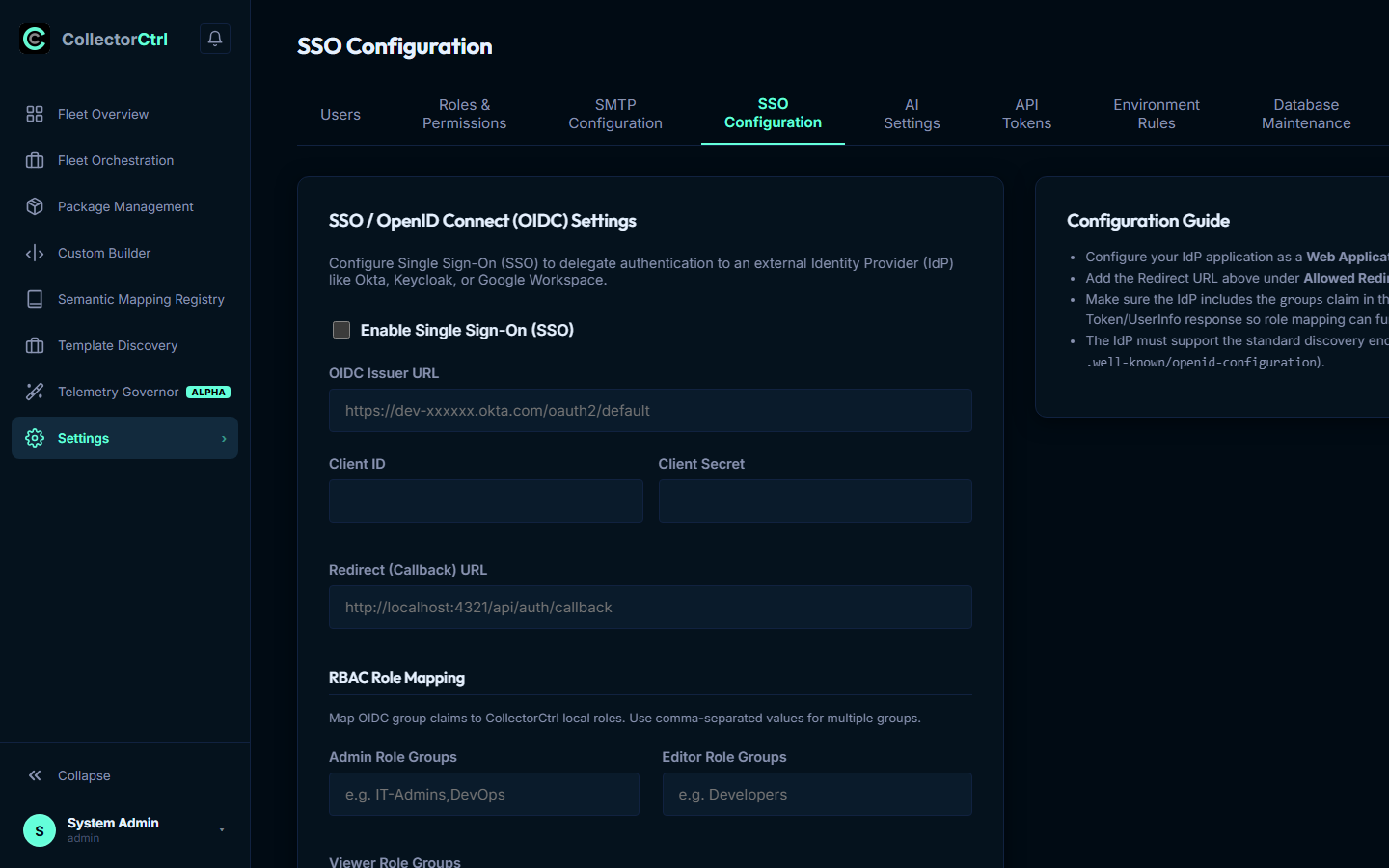
1. OIDC SSO Configuration
Integrate enterprise Identity Providers (Azure AD / Entra ID, Okta, Auth0, Ping Identity, Keycloak) to eliminate local credential silos.
 Expand
Core OIDC Parameters
Configure these parameters under Settings -> SSO Configuration:
- Issuer URL: The discovery endpoint of your provider (e.g.
https://login.microsoftonline.com/{tenant-id}/v2.0). The server auto-discovers endpoints from/.well-known/openid-configuration. - Client ID & Client Secret: Application credentials generated during IdP app registration.
- Redirect Callback URL: The endpoint where users are returned post-authentication:
https://<your-collectorctrl-server>:4321/api/auth/callback - Requested Scopes: Standard scopes:
openid,profile,email,groups. - Default Role: Fallback access role (e.g.
Viewer) assigned to authenticated users who do not match any explicit directory group mapping.
2. Directory Group-to-Role Mapping
Automate role assignment by mapping enterprise directory groups directly to CollectorCtrl roles:
- Group Mappings JSON (
roles_mapping_json):
Define group-to-role mappings linking IdP group names or Object IDs (UUIDs) to roles:{ "admin": "AD-DomainAdmins,SecOps-Leads", "editor": "SRE-Team,DevOps-Engineers", "viewer": "Engineering-All" } - Highest-Privilege Resolution: If a user belongs to multiple matching groups, the permission engine automatically evaluates and assigns the highest matching role.
3. Emergency Break-Glass Console Access
To ensure administrative continuity if an external Identity Provider experiences an outage:
- Isolated Bootstrap Account: The local
adminaccount is preserved independently in the database. - Credential Isolation: SSO users cannot set or overwrite local passwords.
- Break-Glass Direct Login: Access the local login bypass portal at:
https://<your-server>:4321/login?local=true
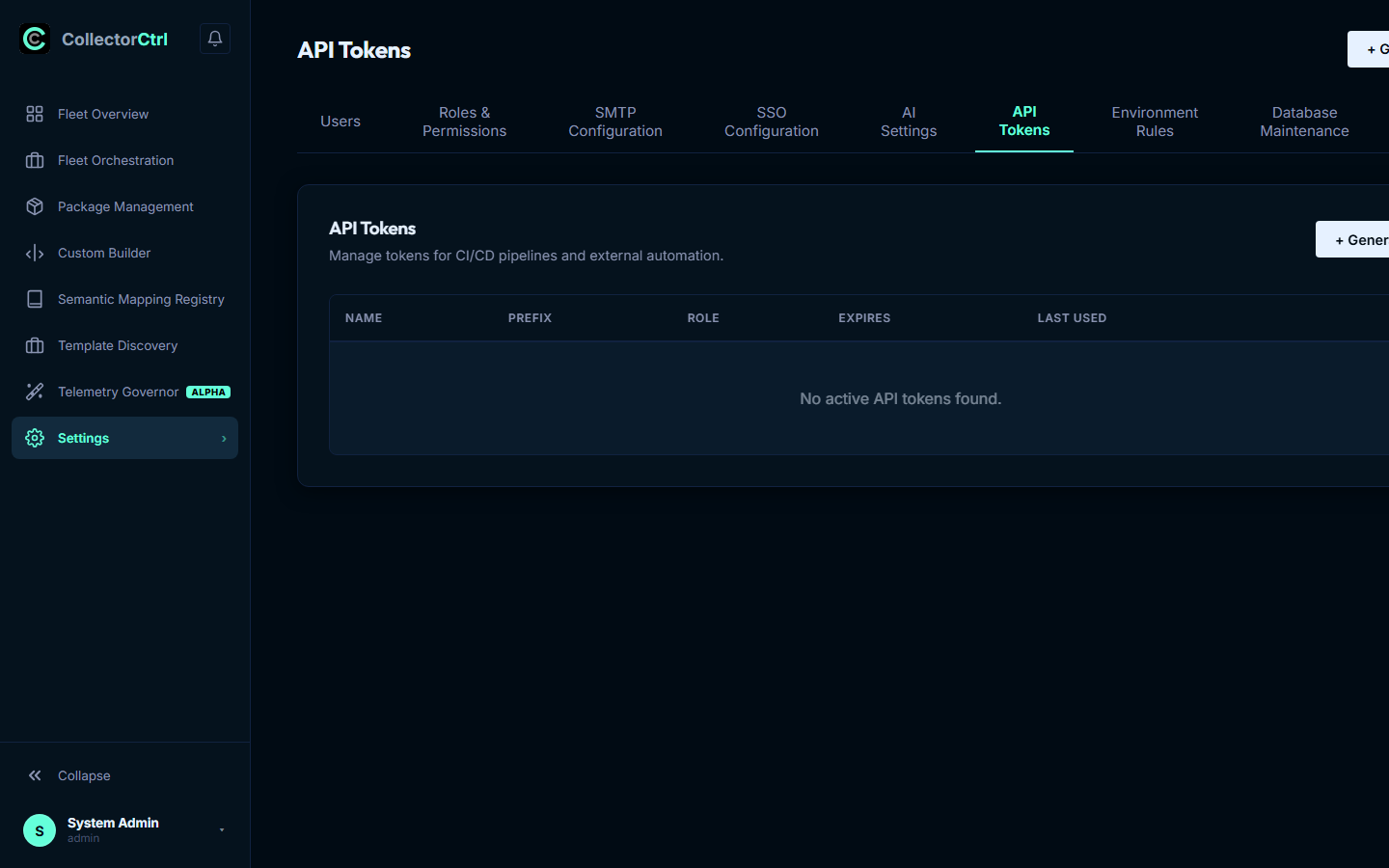
4. API Token Management & Security
For CI/CD deployment pipelines, automated agent provisioning, and MCP AI clients (Claude Desktop, Cursor), issue scoped API keys under Settings -> API Tokens:
 Expand
Security Specifications
- Token Prefix (
cct_): Every API token begins withcct_(CollectorCtrl Token). This signature is compatible with automated secret scanners like Gitleaks and GitHub Secret Scanning, ensuring committed tokens are immediately flagged for revocation. - One-Way SHA-256 Storage: The plaintext token is displayed exactly once upon creation. The database only stores a cryptographic SHA-256 hash.
- Role Scoping: Tokens inherit standard or custom RBAC roles with sliding-window rate limits (120 read req/hr, 20 mutate req/hr by default).
5. Git Integration (GitOps Engine)
Under Settings -> Git Integration, link CollectorCtrl to your remote version control repositories for bidirectional GitOps synchronization:
- Supported Providers: GitHub, GitLab, Bitbucket, Azure DevOps, and custom self-hosted Git servers.
- Authentication: SSH Private Deploy Keys or Personal Access Tokens (PAT).
- Branch Policy Enforcement: Enforces pull request approvals, branch protection, and automated pre-flight syntax validation before policies propagate to edge collectors.